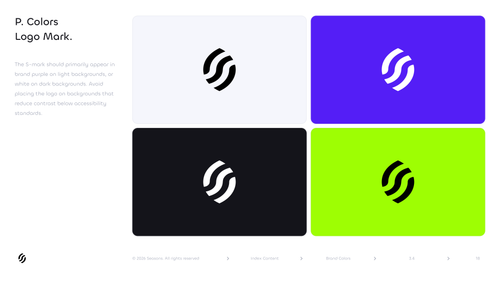
Seasons v2 Primary Colors Logo Mark page from the Brand Guidelines V2 deck — 2×2 grid of approved S-mark + background color combinations (Cloud→Midnight mark, Purple→White mark, Midnight→White mark, Lime→Midnight mark) with the canonical contrast rule: **the S-mark should primarily appear in brand purple on light backgrounds, or white on dark backgrounds; avoid placing the logo on backgrounds that reduce contrast below accessibility standards.** This is the source-of-truth contrast specification page for the standalone S-mark — the canonical reference for any partner / agency / dev needing approved S-mark + bg combinations. Seasons is an onchain yield protocol (ticker: $SEAS). Use as: brand book reference, logo contrast spec lookup, accessibility-rule reference, design system documentation, agency reproduction reference, partner usage reference, dev hand-off reference. Wide horizontal PNG.
Tags: seasons, seasons v2, seasons logo colors, seasons logo mark colors, seasons logo on backgrounds, seasons accessibility logo rule, seasons s-mark contrast rule, seasons logo color combinations, seasons brand book, seasons logo color variants, purple bg white mark, midnight bg white mark, cloud bg midnight mark, lime bg midnight mark, $SEAS, seasons onchain, defi logo colors, logo color applications, primary color logo, logo mark colorways, design system logo, accessibility contrast, agency reproduction reference, partner usage reference, dev handoff reference, version 2 brand book, official logo guide
**Uploads:**
- **imgbb:** https://i.ibb.co/fd2kHjJC/seasons-v2-logo-mark-in-primary-colors-contrast-rule-brand-g.png
- **imgbb:** https://i.ibb.co/kkGF7YC/3-4-PRIMARY-COLORS-LOGO-MARK.png
Added to Seasons | $SEAS — 3 months ago